AmorphGen

Automated amorphous structure generation using machine-learning and classical interatomic potentials.




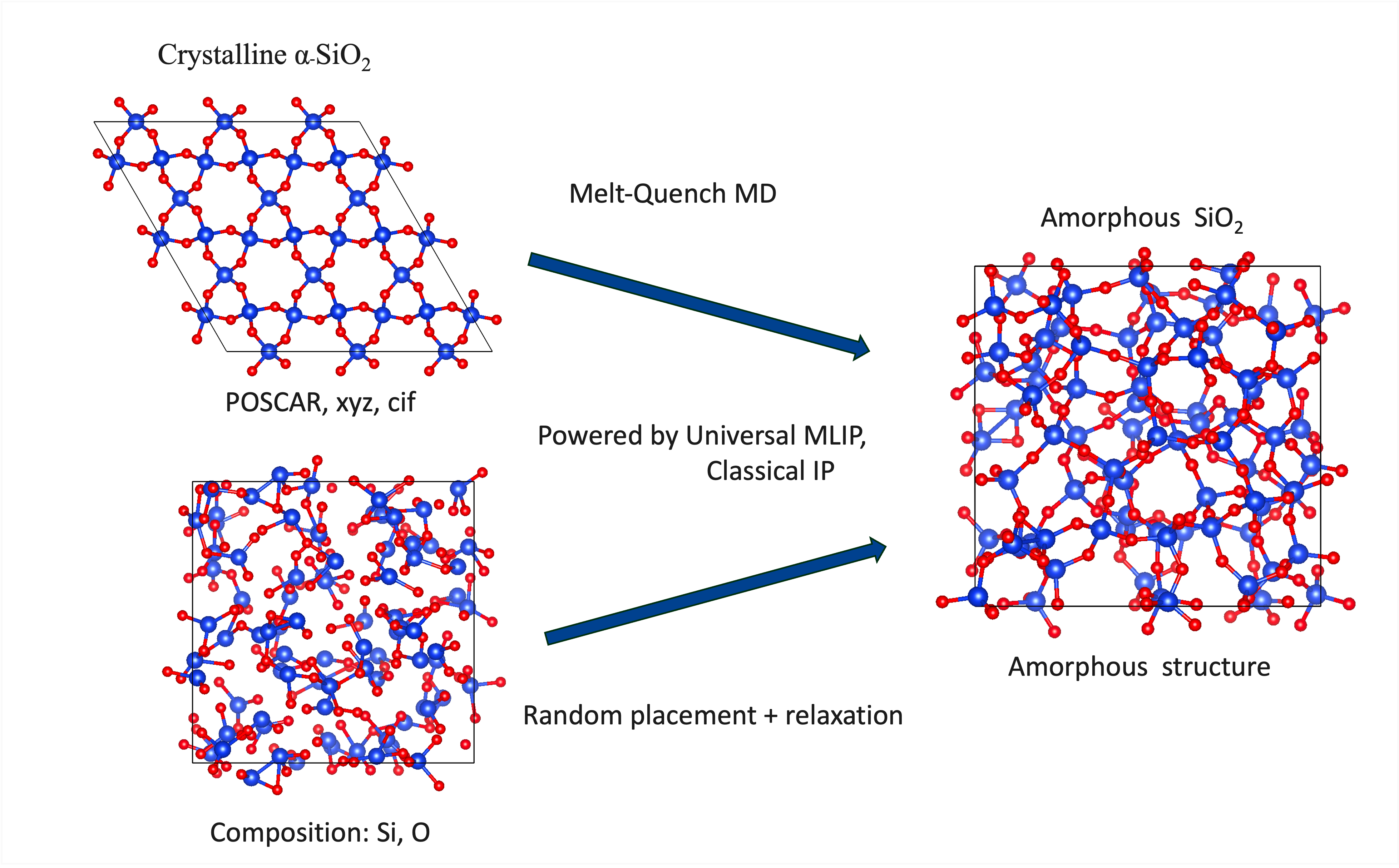
AmorphGen exposes three routes to amorphous structures: random placement from just a chemical formula, melt-and-quench MD from a crystal, and a hybrid workflow that anneals disordered inputs and quenches to low temperature. Random placement runs without a potential. Relaxation and MD use machine-learning interatomic potentials (MACE, CHGNet, SevenNet), published ACE potentials and LAMMPS pair styles, or classical force fields (Buckingham, Lennard-Jones).
Get started
Generate one structure from a composition with the base package:
pip install amorphgen

# 16 formula units of In2O3 = 80 atoms
amorphgen --random-gen --composition "In2O3*16" --seed 42 \
    --format vasp --work-dir in2o3_random
The structure is written to in2o3_random/random_initial/. To relax an ensemble,
install a calculator backend and add --relax:
pip install "amorphgen[mace]"
amorphgen --random-gen --composition "In2O3*16" -n 5 --seed 42 \
    --relax --model mace-mpa-0 --device cpu --format vasp \
    --work-dir in2o3_relaxed
Initial structures go in in2o3_relaxed/random_initial/ and relaxed structures
in in2o3_relaxed/random_opt/. Placement provides starting configurations;
check the relaxed density, bonding and convergence before using them in a study.
See Installation for platform and backend requirements, and Quickstart for the other workflows.
Note
These docs follow the repository’s main branch, which can contain features
added after the latest PyPI release. See Changelog for release boundaries
and the installation guide for installing from source.
Choose a workflow
Start with a composition. Place atoms using estimated density, minimum separations and coordination targets, with optional relaxation using a potential.
--random-gen
Start with a crystal. Run the seven-stage pipeline, or share stages 1–4 before running separate quenches from high-temperature snapshots.
Default pipeline or --mq-ensemble
Start with disordered structures. Run high-temperature equilibration, quenching, low-temperature equilibration and final relaxation (stages 4–7) for each input.
--hybrid-ensemble
The Best practices & limitations guide covers choosing and checking a protocol. For multiple quenches, see MQ-ensemble workflow or Batch quench.
Analyse and configure
Analysis: RDFs, coordination, bond angles, rings, structure factors and plots, using the CLI or Python API.
Generate until converged: generate torch-sim batches until declared precision targets pass a statistically valid adaptive stopping rule.
YAML configuration: save a protocol, set temperatures and cooling rates, and control reproducibility.
HPC deployment: run and resume jobs on a cluster.
Tutorials: notebooks demonstrating the workflows.
Validation: a worked comparison with reference data and its limits.
Supported backends
Backend |
Install |
Example |
|---|---|---|
MACE |
|
|
CHGNet |
|
|
SevenNet |
|
|
Classical |
Included in |
|
ACE (pacemaker file) |
|
|
LAMMPS pair style |
|
|
Classical potentials require parameters appropriate to the system. See
Calculator backends for model selection and backend compatibility, or run
amorphgen --list-models for the registered model names.
The optional torch-sim engine batches relaxation and hybrid ensembles with
MACE, SevenNet or Lennard-Jones. For MACE, install
pip install "amorphgen[mace,torchsim]" and select --engine torchsim.
It requires Python 3.12 or newer; hybrid MD supports NVT only. See the
installation instructions.
Citing AmorphGen
If you use AmorphGen in your research, cite the software version you used. The repository includes a CITATION.cff file; a BibTeX citation is:
@misc{amorphgen,
  author = {Kaewmeechai, Chaiyawat and Slocombe, Louie and Scanlon, David O.},
  title  = {AmorphGen: A Python package for amorphous structure generation
            with machine-learning and classical interatomic potentials},
  year   = {2026},
  url    = {https://github.com/SMTG-Bham/AmorphGen}
}
A Zenodo DOI for each tagged release will be added on first stable release. Please also cite the underlying interatomic potential you use (MACE, CHGNet, SevenNet, or the ACE or LAMMPS potential and the code that evaluates it) and any reference structures or experimental data you compare against.